
Features & how it works
Understand what you're seeing and hearing
A plain-language guide to what Resona measures, how it measures on your iPhone, how to read the numbers — and every tool in the app.
Pitch and resonance, explained
Pitch alone doesn't describe a voice. Resona shows resonance, melody and vocal weight alongside it, so you can explore each one separately and then together.
Pitch
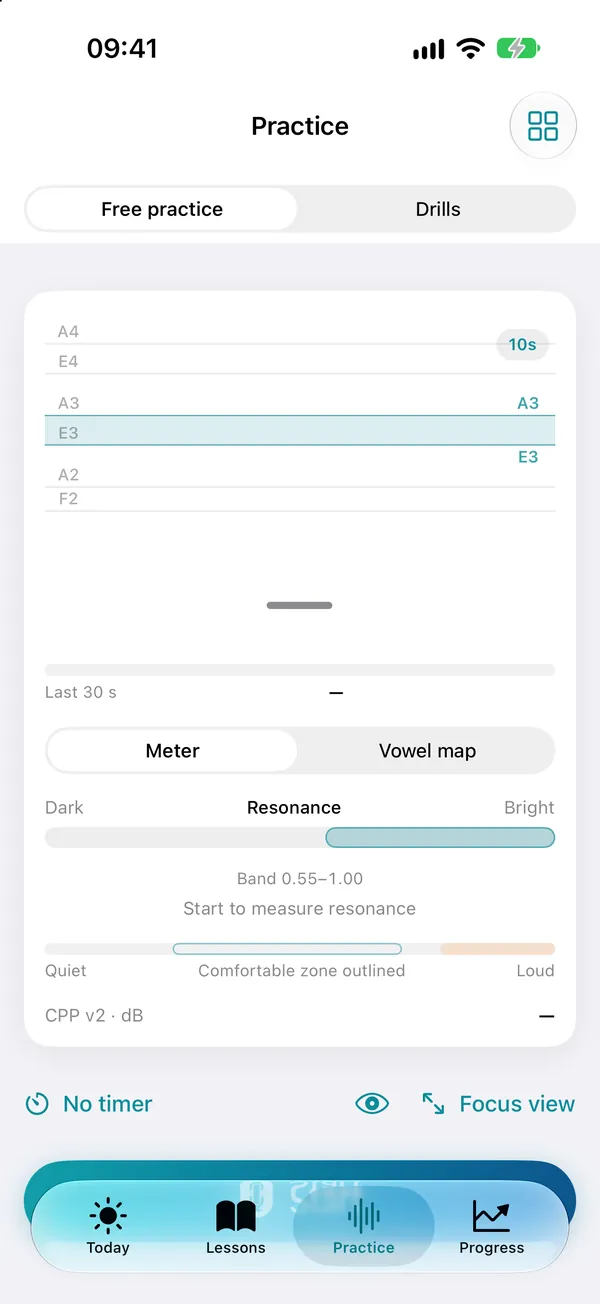
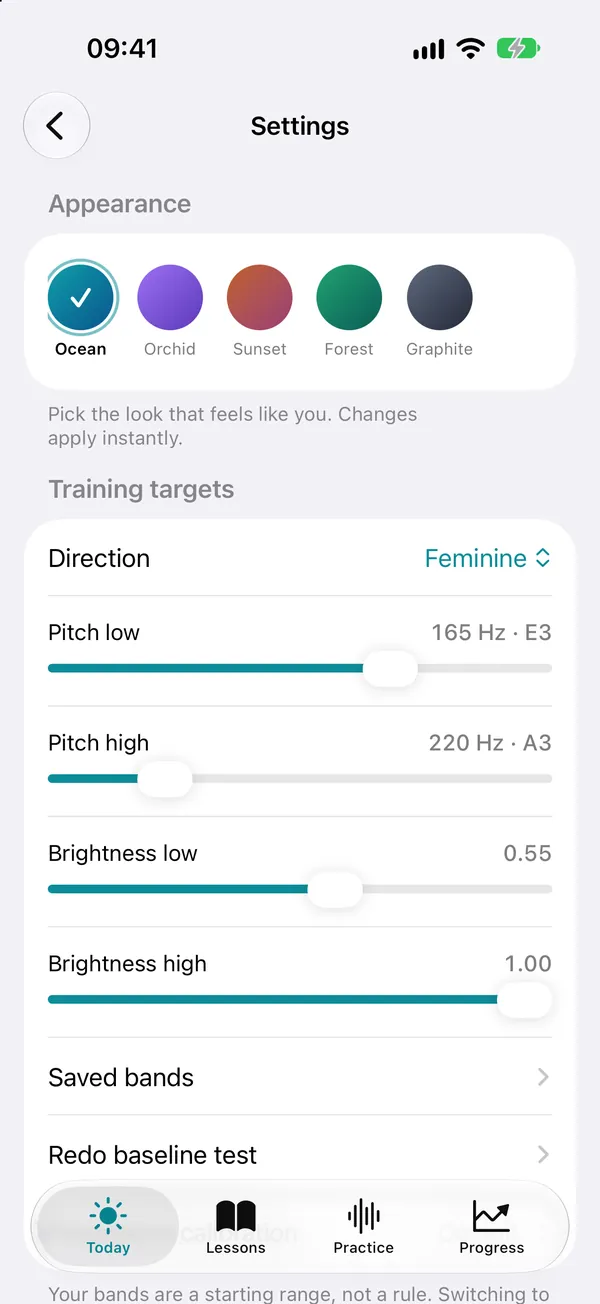
Pitch is how fast your vocal folds vibrate, measured in hertz (Hz) — the “note” of your voice. Speaking pitch naturally moves around a home area. In Resona, that home area is your target band: a range, not a single note.
Resonance
Resonance is how the space above your vocal folds shapes the sound. A smaller, more forward space sounds brighter; a roomier space sounds darker. It's independent of pitch: you can change one without the other.
Melody and weight
Natural speech rises and falls; questions often lift at the end and key words often peak. Vocal weight describes how thick or buzzy a voice sounds, from light and airy to heavy and full.
Try it: hold one easy “ah” on the same note, then add a slight smile, then round your lips. The resonance meter moves while the vowel and the pitch stay the same.
How Resona measures
Everything below runs on your iPhone, in real time, while you practice. Your audio doesn't need to leave the device to be analyzed.
Listen
The microphone signal is checked for level, clipping and background noise. When there isn't enough clear signal, the reading is shown as uncertain instead of guessed.
Pitch
A neural pitch model (SwiftF0, running with ONNX Runtime) estimates pitch many times a second, with a classic pitch tracker as a safety net. A tracking step keeps the trace smooth without hiding real movement.
Resonance
Linear prediction estimates your resonances (formants F1–F3). Resona compares them with reference vowel shapes, estimates the overall shape of your vocal tract and places the result on a 0–1 brightness scale.
Voice quality
Cepstral peak prominence (CPP v2) describes how strongly a repeating voice pattern shows. Vocal weight uses the balance of the lowest harmonics and the spectral tilt, compared with your own reference.
Speech
Pitch movement, range, pace and pauses are summarized across what you said. Trends use speaking sessions only, so warm-ups and hums don't skew them.
Resonance reads posture, not the vowel
Each vowel is compared with its own reference, so switching from “oo” to “ee” barely moves the brightness reading. A slight smile, a lighter larynx and a forward tongue brighten any vowel; rounded lips, a lower larynx and a pulled-back tongue darken it.
A scale that fits you
A one-minute resonance calibration fits the brightness scale to your own vocal tract. Without it, Resona uses a general adult reference.
Honest statistics
Moments with a low signal-to-noise ratio are left out of resonance, clarity and vocal-weight summaries, so a noisy room doesn't quietly change your results.
Reading the numbers
Every number in Resona describes a recording or a moment of sound. None of them is a verdict.
- Target band
- The shaded area on the pitch trace. It's a direction you choose in Settings and can change anytime — not a test.
- Band balance
- The share of the last 30 seconds below, inside and above your band. The overall tendency tells you more than any single moment.
- Brightness from 0 to 1
- 0 is dark and 1 is bright, relative to the general reference or your calibration. When the reading is uncertain, the meter says so — hold a clear vowel a little longer.
- Median pitch and P10–P90
- The median is the middle of everything you said, steadier than an average. P10–P90 is where the middle 80% of your pitch sat: your everyday range without the extremes.
- Pitch movement
- The spread of your pitch in semitones. Flatter speech reads lower and more melodic speech reads higher. There's no correct amount.
- Clarity and vocal weight
- Compare these only across the same passage, microphone position and room. They describe the recording; they aren't a diagnosis.
One session is one data point. Voices vary with sleep, time of day, hydration and mood, so weekly trends tell you more than a single day.
Tips for reliable readings
A few habits make your numbers steadier and your comparisons fairer.
Find a quiet room
Background noise, fans and echoey rooms make resonance and clarity harder to read. The Recording readiness tool checks background sound, speech level and clipping before you start.
Keep a steady distance
Hold your iPhone about 20–30 cm (8–12 in) from your mouth, and keep the same position when you compare recordings.
Prefer the built-in microphone
Bluetooth headset microphones send narrowband audio that lowers resonance and clarity accuracy. Resona shows a hint when it detects one.
Listening on Bluetooth headphones
If you listen through Bluetooth headphones while the iPhone's own microphone records, moving the phone changes the readings. Keep it still.
Use a voiced sound
Whispers and very breathy sounds have no pitch to read. For resonance, hold a clear vowel for a second rather than speaking quickly.
Compare like with like
Use the same passage, microphone and position for reports you want to compare. Resona notes the input type with each measurement.
Calibrate once
Run the one-minute resonance calibration in Settings for a personal brightness scale.
Every tool, in detail
Everything in Resona, grouped the way it appears in the app. Tools marked Pro are part of the one-time Pro purchase; everything else is free.
Measure
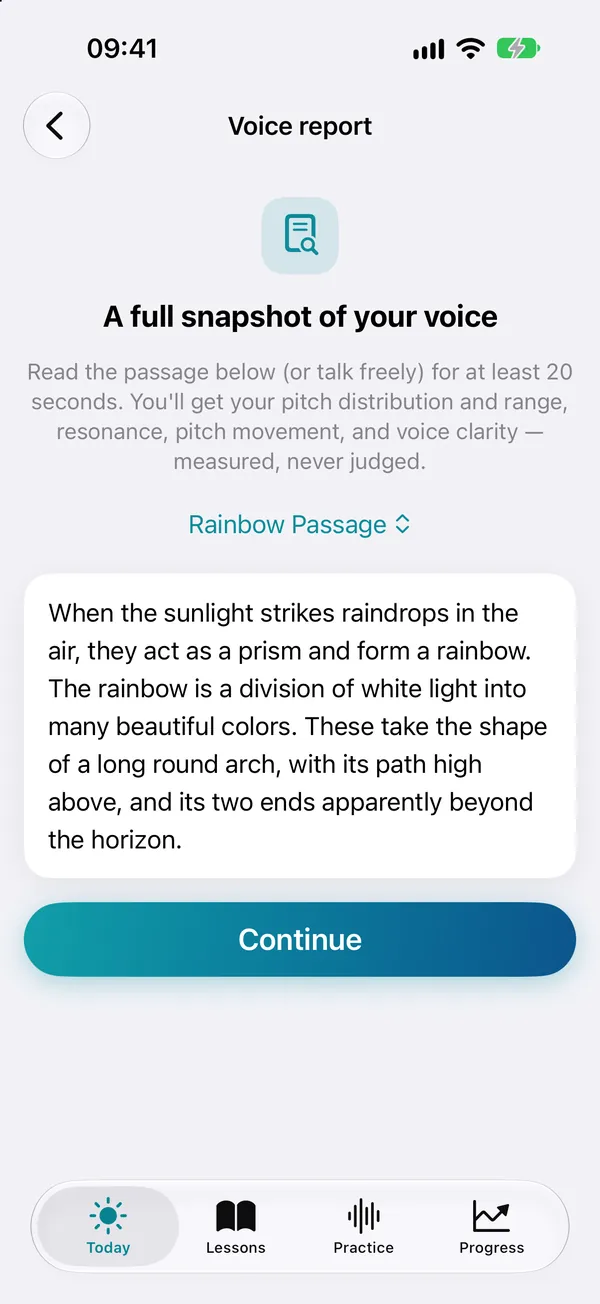
Voice report
Read a passage or talk freely for a full snapshot: pitch distribution and range, resonance, pitch movement, clarity, vocal weight, pace and pauses.
Quick check
Say one line and see where it sat.
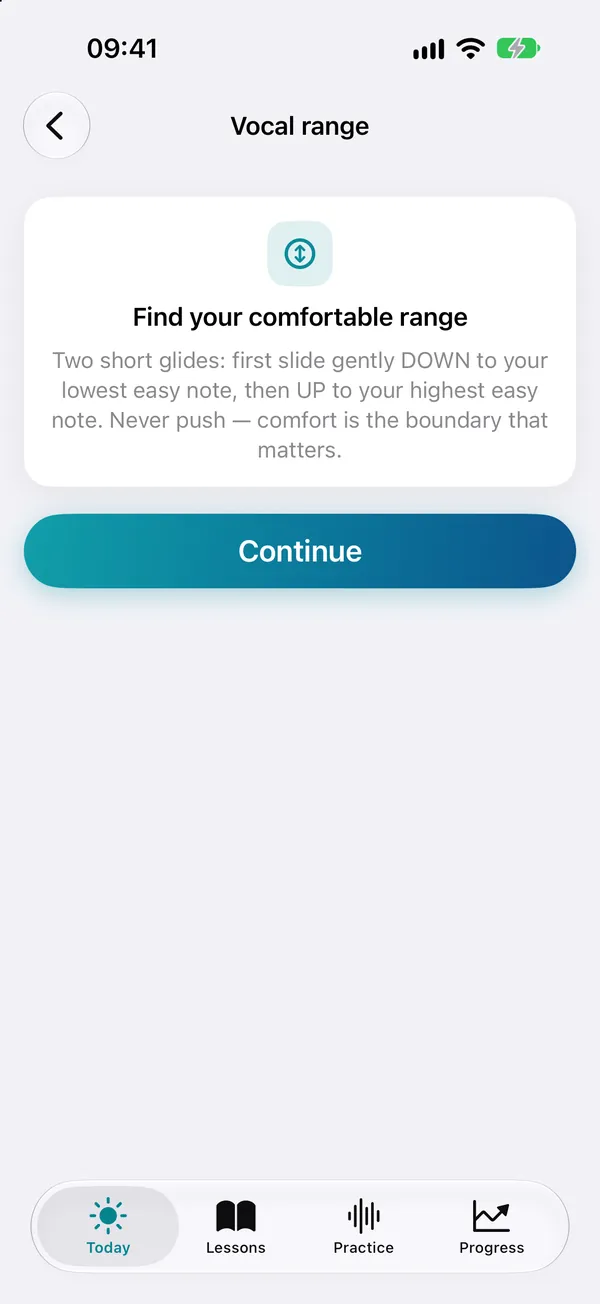
Vocal range
Two short glides map your comfortable lowest and highest easy notes.
Longest “ah”
Times how long an easy tone lasts — a reflection of breath and ease, not strength.
Analyze a recording Pro
Analyze an audio file on your iPhone. Resona works on a temporary copy and leaves the original unchanged.
Calibrate resonance
A one-minute vowel check that fits the resonance meter to your voice.
Note finder
Convert between hertz and note names, and see where your band sits.
Practice
Free practice
Live pitch trace, resonance meter or vowel map, loudness bar and clarity, with an optional timer, a large-type focus view and playback of your last take.
Drill library
Focused exercises for breath, glides, steps, resonance and ear training. A starter set is free; Pro opens the full library.
Everyday phrases
Real-life lines plus your own phrases, with live feedback.
Conversation prompts
Questions to answer in your own words, without a script.
Reading coach
Your own texts, with live feedback, an optional pace guide and a comparison of pace and pauses with your last reading.
Intonation studio Pro
Practice rises, falls and key-word peaks.
Match the note
Hear a note, then hum it.
Follow the line
Glide along a moving target.
Resonance hold
Keep resonance inside your band.
Range explorer
Light up the notes you reach.
Practice lab
Recording readiness Free
Check background sound, speech level and clipping before recording.
Practice intervals Free
Alternate comfortable practice and quiet breaks automatically.
Everyday voice log Free
Note how your voice felt in actual conversations outside the app.
Lesson review queue Free
Choose lessons to revisit and give each one a manageable review date.
Teleprompter Pro
Let your own words advance at your pace, with optional live feedback.
Blind listening Pro
Listen before seeing dates or measurements, then reveal your choices.
Loop a recording Pro
Repeat one useful section without changing the original recording.
Phrase ladder Pro
Build your own sentence from short phrases and compare each attempt.
Recording collections Pro
Organize journal recordings by passage, setup, project or situation.
One-cue experiment Pro
Compare two comfortable cues using the same words and short attempts.
Track
Voice journal
Recordings with pitch and brightness snapshots, compared then and now side by side. Free keeps 3 recordings; Pro is unlimited.
Progress
Weekly trends from your baseline, a practice calendar and your daily voice use. Free shows 7 days; Pro keeps your full history.
Goal tracker Pro
Your own number, week by week, with insights and journal trends.
Progress report Pro
A one-page PDF to keep or share. Session notes are left out unless you include them.
Notebook
Cues, discoveries and notes from a coach.
Care
Warm-up
3, 4 or 6 guided minutes of breath, hums, lip trills and glides.
Cool-down
Ease your voice back after practice.
Breath pacer
Calm, steady breathing — for example, before a call.
Voice rest
A quiet-time timer.
Voice care habits
A small daily checklist.
Gentle recovery
A deliberately gentle path for easing back into sound after voice surgery. It isn't medical advice; always follow your surgical team's guidance.
Learn
Voice basics
What the numbers mean, one card at a time.
Vowel guide
Hear each vowel's shape, played on your own pitch band.
Glossary
Plain-language terms, from hertz to SOVT.
Troubleshooting
Help for when readings or your voice feel off.
Everywhere in the app
Today plan
A short plan for the day: your next lesson, a quick practice and a voice check-in.
Widget, Siri and Control Center
Start a quick practice from a Home Screen widget, Siri or the Shortcuts app, or a Control Center button on iOS 18 and later.
Accessibility and comfort
Five color themes in light and dark mode, Dynamic Type, VoiceOver labels, eyes-free haptic cues, a bold pitch line and calm mode.
Privacy options
Lock Resona with Face ID, Touch ID or your passcode, and use discreet notifications and a discreet app icon.

Start with Week 1 — it's free
Download Resona, record a short baseline and see your voice in real time. Upgrade only if you want the full path.
